 Guardian Reader
That design detail is why the usual advice underperforms. A limit that depends on someone deciding to stop is fighting a system engineered so that no decision to stop is ever required.
Why time limits alone underperform
A daily cap sounds right, but in practice the child spends the allowance in one uninterrupted stretch and then argues for more. There is no moment inside the experience that suggests a pause, so the limit only ever arrives as an interruption from outside.
Worse, when the limit hits, nothing replaces it. Boredom is not a plan. It is what makes the workaround worth the effort.
What actually reduces the pull
- Make opening it cost something. Not a punishment, a price: ten minutes of reading buys the session. The reflex tap now has a step in front of it.
- Kill the autoplay habit at the source. Turn off autoplay in the YouTube app and turn on the 'take a break' reminders. It is a small effect, but it costs nothing.
- Block the web version too. Blocking the app while Safari still loads the site is not a limit, it is a detour.
- Put the phone somewhere else at night. Most complaints about feeds are really complaints about bedtime.
- Keep the rule identical every day. Predictable rules stop being personal. Variable rules turn into daily negotiations.
Talking about it without a lecture
Children hear "screens are bad for you" as an opinion about their taste, and they discount it. What lands better is honesty about design: these apps are made by very good engineers whose job is to make it hard to stop, and beating them is genuinely difficult.
That framing makes it a shared problem instead of a character flaw. You are not accusing them of weakness; you are handing them a tool for a fair fight.
Putting a book in front of the feed
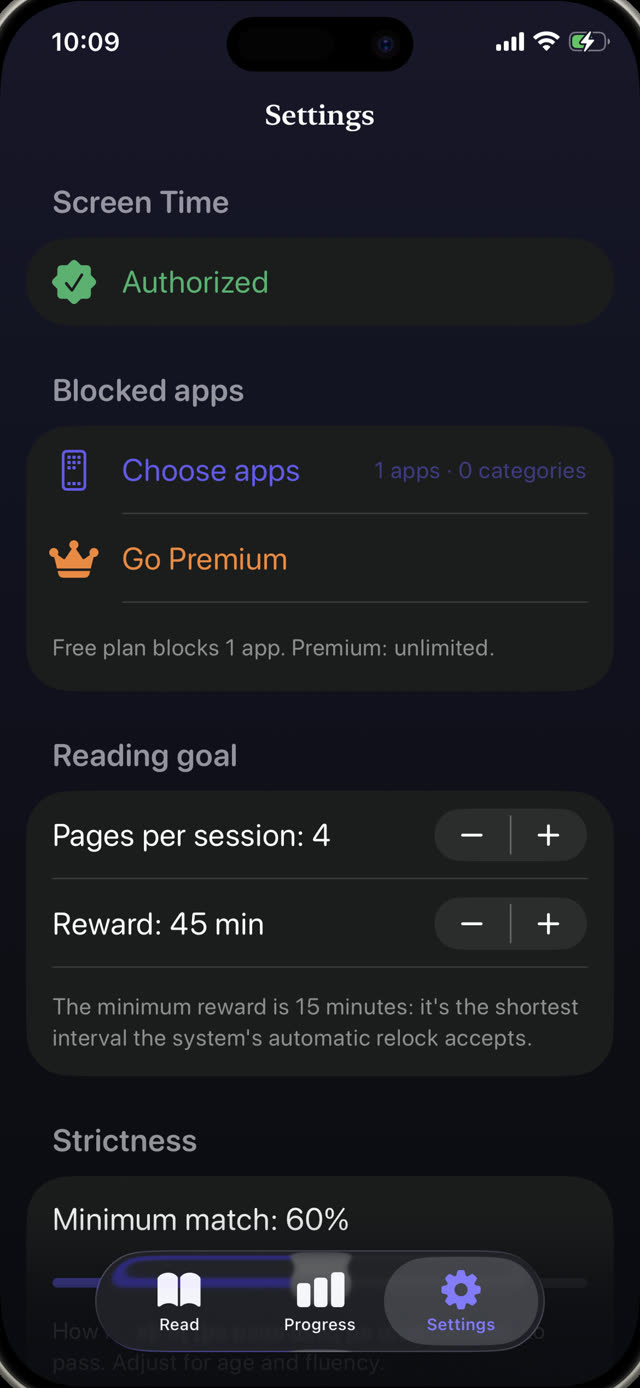
This is what Guardian Reader does mechanically. YouTube, TikTok, Instagram or any other app you choose stays locked behind Apple's Screen Time system. To open it, your child reads a page of a physical book out loud and the app verifies the reading before releasing the earned minutes.
It works because the fee is small, honest and hard to talk your way around. There is no one to argue with: the page has to be read out loud before the minutes appear.
The autoplay problem, solved from outside
The infinite feed never ends on its own, so the ending has to come from the system. When the earned minutes expire, Guardian Reader re-locks the apps automatically, even if the app is closed and the phone is in your child's pocket. No countdown to argue with, no request for five more minutes.
Reading unlocks the screen.
Free to download · No accounts, no tracking
Get Guardian Reader for iPhone