 Fix Your Life
Notification blindness is real
Your phone throws dozens of notifications at you every day. Your brain, efficient as ever, learned the pattern: banner appears → thumb swipes. The gesture now happens before reading, the way you skip ads without seeing them. Researchers call the general effect habituation: repeated exposure to a stimulus until the response fades to zero.
So when you put something that actually matters; work on the side project, call your mother, get up and move; into the same pipeline as promotional push spam, it inherits the same fate: swiped, unread, gone.
What separates a reminder from an alarm
- A notification is passive. It waits politely in a tray. An alarm takes over the screen and makes noise until you deal with it.
- A notification can be dismissed in one motion. Dismissal costs nothing, so it becomes automatic. An unignorable reminder must cost something to close: a deliberate act, not a reflex.
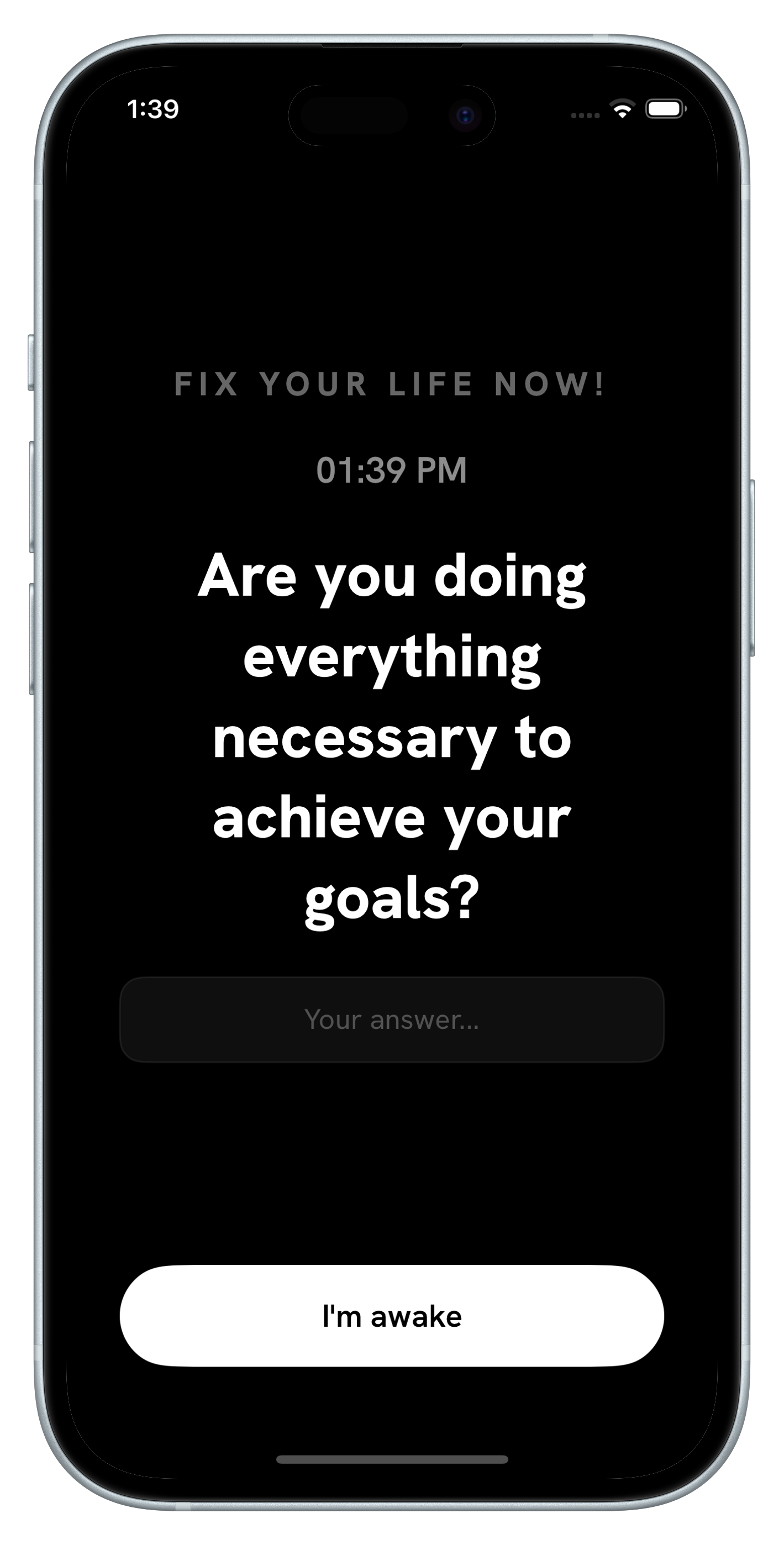
- A notification tells you something. An effective interruption asks you something. Statements slide off; questions lodge. "Work on your goals" is wallpaper. "Are you doing everything necessary to achieve your goals?" demands a verdict.
The reminder that changes behavior is the one you have to answer, not the one you're allowed to swipe.
Use unignorable reminders sparingly
This power comes with a rule: reserve it for the few things that matter. If every reminder rings until answered, you'll habituate to that too, or worse, resent it. The pattern that works:
- Keep ordinary logistics (buy milk, meeting at 3) in your normal reminders app.
- Promote 1–3 identity-level check-ins (the ones about your goals, attention and direction) to full alarms with questions attached.
- Rotate the questions so they never fade into background noise.
How Fix Your Life makes reminders unignorable
Fix Your Life was built on exactly this insight:
- Alarms ring until you face them: there's no snoozing past your intentions, no one-motion dismissal.
- Every alarm is a question, not a statement. To close it, you answer with one honest line.
- Surprise mode serves a different question every day, defeating the habituation that killed your old reminders.
- Your answers are saved to a Journal with a streak and heatmap, so the reminder doesn't just fire, it leaves a record you can review.
Questions people also ask
Why do I ignore my reminders?
Notification blindness: after dozens of banners a day, your thumb swipes them before you read them. Important reminders end up in the same pipeline as spam.
What is the difference between a reminder and an alarm?
A notification waits in a tray and disappears with one swipe. An alarm takes over the screen and keeps going until you deal with it.
Which reminders should be impossible to ignore?
Only a few: the check-ins about your goals, attention and direction. Keep ordinary logistics in your normal reminders app, or you will start ignoring the alarms too.
Set a reminder your thumb can't dodge.
Free to download · 3-day free trial · No ads. Ever.
Download Fix Your Life