
MrBeast-style captions
This is the loudest caption look on the platform, and it is loud on purpose: it is made for a thumb that is already moving. Everything about it says energy before a single word is read.
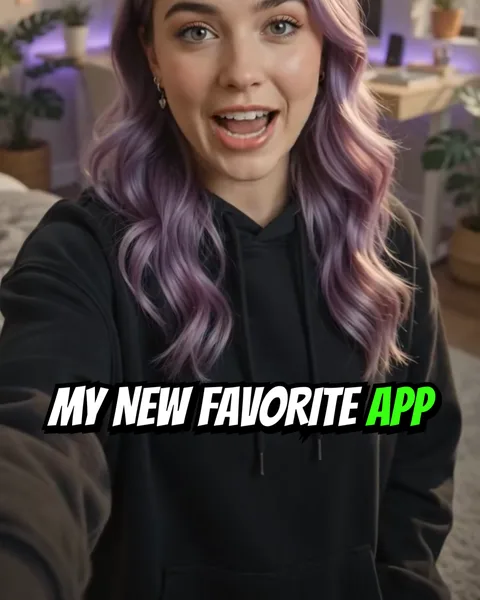
What the look is made of
- Comic-book capitals, slightly slanted: Bangers is the free match.
- A very thick black outline and a hard drop shadow, no blur, offset down and to the right.
- The key word in a loud colour: green, yellow or red.
- Words popping in one at a time, slightly bigger, then settling.
When it works, and when it does not
It works for challenges, reactions, reveals: anything where the energy is the content. On a calm explainer or a podcast clip it fights the voice; there a quieter style such as Soft or Native reads better.
How to do it in Charlatan
- Open your clip and choose the Word or Punch pace.
- In the Styles tab, tap Beast.
- Want it even louder? In Design, raise the shadow distance or switch the keyword colour.
- Export at 9:16. The shadow and the pop are burned into the video, so they look the same everywhere.
Questions people also ask
What font does MrBeast use for captions?
A slanted comic-book display face. The usual one is not free to use in an app; Bangers is the free font closest to it, and it is the one Charlatan's Beast style uses.
Is the Beast style affiliated with MrBeast?
No. Beast is Charlatan's own style, built from the elements of that look. The name is only used to describe what people search for.
Charlatan is not affiliated with any creator or platform named on this page.