
How to add subtitles to a video on iPhoneCómo poner subtítulos a un video en iPhone
Most video is watched with the sound off. That is the whole reason this question gets asked so often — a clip without captions is a clip most people scroll past before they know what it was about.La mayoría del video se mira sin sonido. Esa es toda la razón por la que esta pregunta se hace tanto — un clip sin subtítulos es un clip que la mayoría pasa de largo antes de saber de qué se trataba.
There are three real ways to do it on an iPhone alone, and they are not equivalent. Here is what each one actually gives you, and which one to pick.Hay tres formas reales de hacerlo solo con el iPhone, y no son equivalentes. Esto es lo que te da cada una, y cuál conviene.
Option 1: the platform's own captionsOpción 1: los subtítulos de la propia plataforma
TikTok, Instagram and YouTube all generate captions for you after you upload. It is free and it takes one tap, and for a lot of people that is enough.TikTok, Instagram y YouTube generan subtítulos después de que subís el video. Es gratis, es un toque, y para mucha gente alcanza.
The catch is that you are handing over the look. You get that platform's font, that platform's placement, and a caption that only exists on that platform — repost the same video somewhere else and it is bare again. You also cannot fix a misheard word without re-uploading.El problema es que estás entregando el aspecto. Te queda la tipografía de esa plataforma, su posición, y un subtítulo que solo existe ahí — reposteás el mismo video en otro lado y vuelve a estar pelado. Tampoco podés corregir una palabra mal entendida sin volver a subirlo.
Option 2: iMovie or a general video editorOpción 2: iMovie o un editor de video general
iMovie is already on the phone and it can put text on a clip. What it cannot do is listen to your audio: there is no automatic transcription, so you are typing every line yourself and dragging it to the right moment by hand.iMovie ya está en el teléfono y puede poner texto sobre un clip. Lo que no puede es escuchar tu audio: no hay transcripción automática, así que escribís cada línea a mano y la arrastrás al momento correcto vos.
For a thirty second clip that is ten or fifteen minutes of work. For anything longer it stops being realistic, which is why almost nobody does it twice.Para un clip de treinta segundos son diez o quince minutos de trabajo. Para algo más largo deja de ser realista, y por eso casi nadie lo hace dos veces.
Option 3: a dedicated subtitle appOpción 3: una app dedicada a subtítulos
A subtitle app does the part that is tedious — listening and typing — and leaves you the part that is creative: how it looks. The good ones transcribe automatically, sync each word to when it was said, and render the captions into the video file so they travel with it.Una app de subtítulos hace la parte tediosa — escuchar y tipear — y te deja la parte creativa: cómo se ve. Las buenas transcriben solas, sincronizan cada palabra con el momento en que se dijo, y dibujan los subtítulos dentro del archivo para que viajen con él.
The thing worth checking before you pick one is whether it runs on the phone or ships your audio to a server, and how much control you get over the type. Those two decide whether the app is fast and private, and whether your videos end up looking like yours or like everyone else's.Lo que conviene mirar antes de elegir una es si corre en el teléfono o manda tu audio a un servidor, y cuánto control te da sobre la tipografía. Esas dos cosas deciden si la app es rápida y privada, y si tus videos terminan pareciéndose a los tuyos o a los de todo el mundo.
How to do it in CharlatanCómo hacerlo en Charlatan
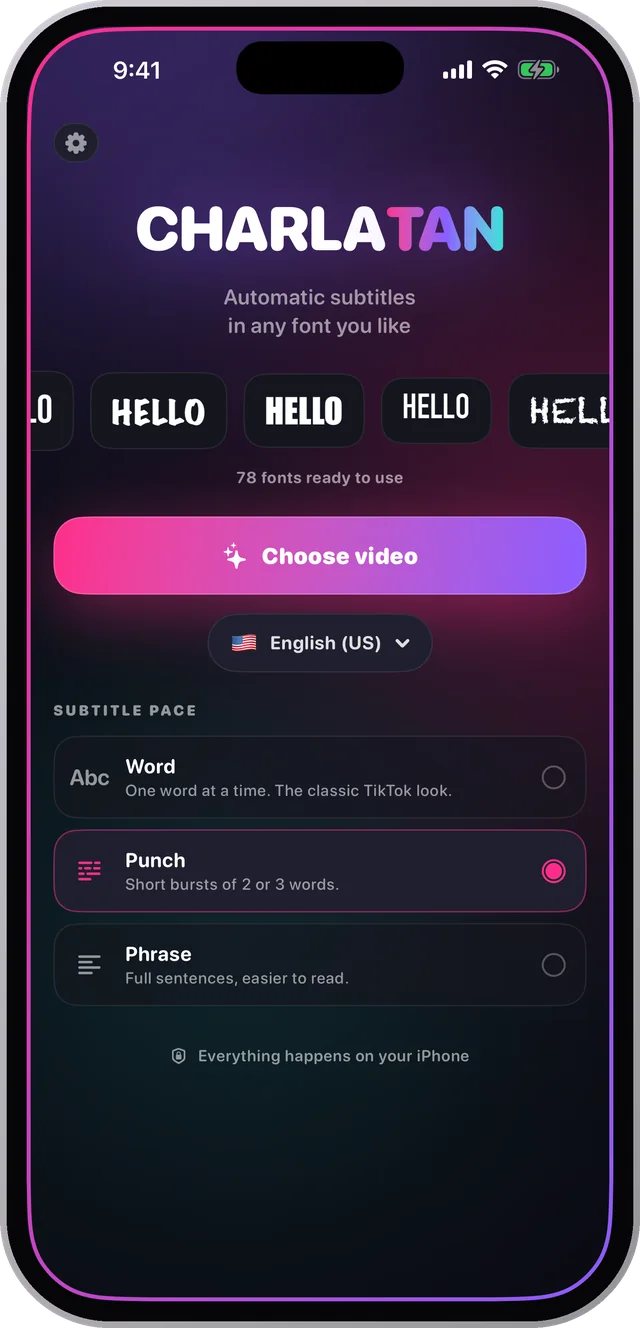
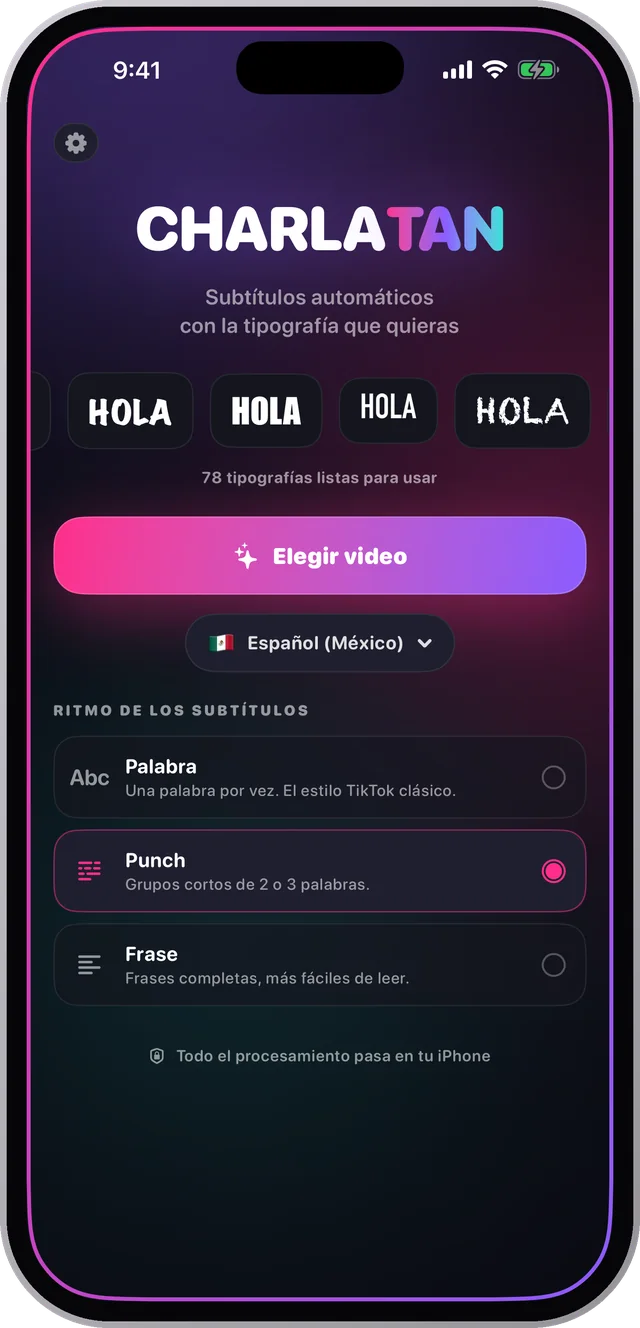
- Open Charlatan and tap Choose video to take a clip from your library, or Record to shoot one right there.Abrí Charlatan y tocá Elegir video para tomar un clip de tu galería, o Grabar para filmar uno ahí mismo.
- Set the audio language if it is not already right, then let it transcribe. This runs on the iPhone, so it works with no connection and nothing is uploaded.Ajustá el idioma del audio si no está bien, y dejá que transcriba. Esto corre en el iPhone, así que funciona sin conexión y no se sube nada.
- Pick a font. There are 78, grouped by category, and each one previews on your own video before you commit.Elegí una tipografía. Hay 78, agrupadas por categoría, y cada una se previsualiza sobre tu propio video antes de decidir.
- Choose a pace — one word at a time, short punches, or full sentences — then set size, colour, outline and position. Drag the caption anywhere in the frame and pinch to resize it.Elegí un ritmo — una palabra a la vez, golpes cortos, o frases completas — y después tamaño, color, contorno y posición. Arrastrá el subtítulo a donde quieras y agrandalo con dos dedos.
- Tap Export. The subtitles are rendered into the video file itself, ready to post anywhere without a separate subtitle file.Tocá Exportar. Los subtítulos quedan dibujados dentro del archivo, listos para publicar donde sea sin archivo aparte.
Questions people also askLo que también preguntan
Can I add subtitles to a video on iPhone without an app?¿Se pueden poner subtítulos en iPhone sin una app?
Yes, but only in a limited way. TikTok, Instagram and YouTube each generate captions after upload, and iMovie lets you type text manually. Neither gives you automatic transcription plus control over the font, and the platform versions only exist on that platform.Sí, pero de forma limitada. TikTok, Instagram y YouTube generan subtítulos después de subir el video, e iMovie te deja escribir texto a mano. Ninguna te da transcripción automática más control de la tipografía, y las versiones de la plataforma solo existen ahí.
How long does it take to subtitle a video on an iPhone?¿Cuánto tarda subtitular un video en iPhone?
With automatic transcription, a thirty second clip takes about two minutes end to end, and most of that is you choosing how it looks. Typing captions by hand in a general editor takes ten to fifteen minutes for the same clip.Con transcripción automática, un clip de treinta segundos lleva unos dos minutos de punta a punta, y la mayor parte es vos eligiendo cómo se ve. Escribir los subtítulos a mano en un editor general lleva diez o quince minutos para el mismo clip.