
How to add captions to Instagram ReelsCómo poner subtítulos a Reels de Instagram
Instagram will caption a Reel for you. The question worth asking is whether you want it to, because the version it produces is not the version you designed.Instagram te va a subtitular el Reel. La pregunta que vale la pena hacerse es si querés que lo haga, porque la versión que produce no es la que vos diseñaste.
Here is the difference, and where the text has to sit so it is actually visible.Esta es la diferencia, y dónde tiene que ir el texto para que se vea de verdad.
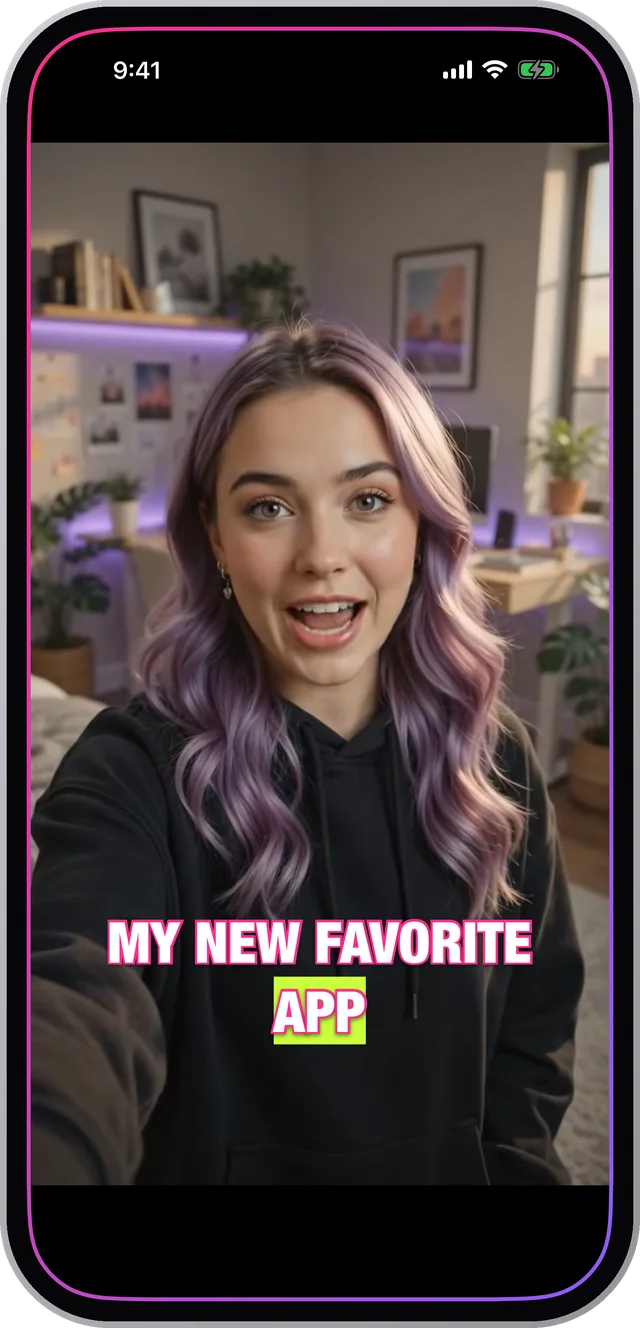
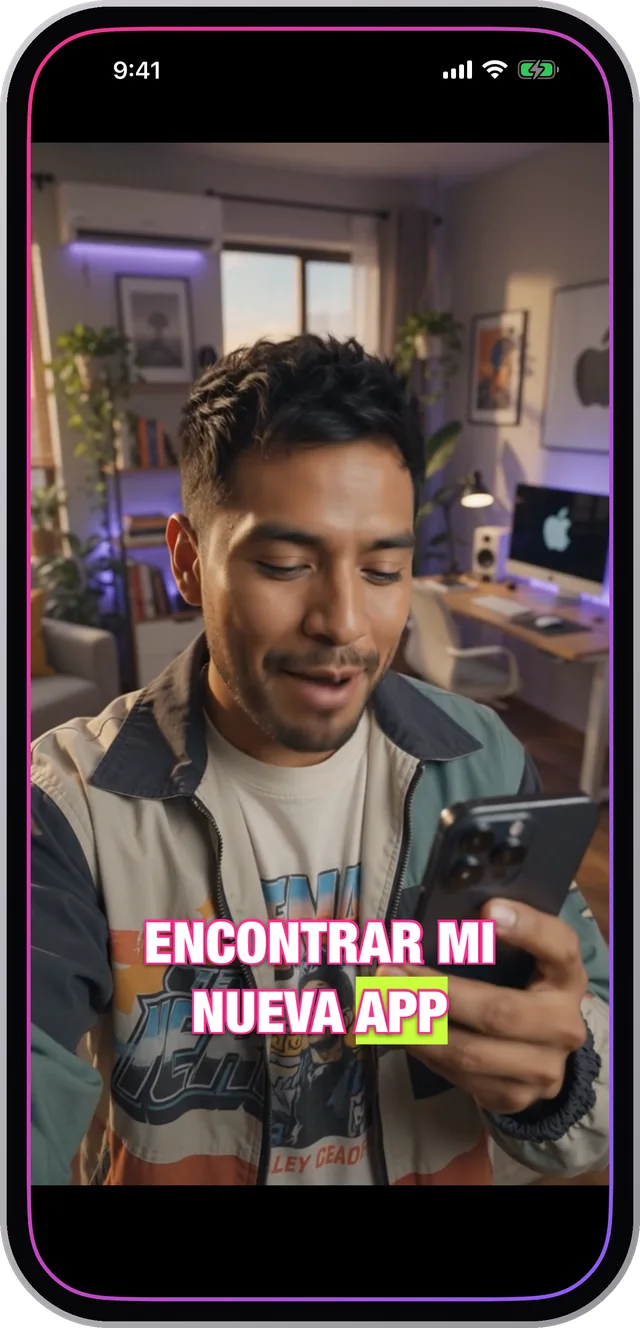
Built-in captions versus burned-in captionsSubtítulos nativos contra subtítulos quemados
Instagram's sticker captions are generated after upload, in Instagram's fonts, with Instagram's animation. You get a handful of preset styles and you cannot move much beyond them. They also do not exist anywhere else — cross-post the same file to TikTok and it arrives bare.Los subtítulos sticker de Instagram se generan después de subir, con las tipografías de Instagram y su animación. Tenés un puñado de estilos preset y no te podés mover mucho de ahí. Además no existen en ningún otro lado — cruzás el mismo archivo a TikTok y llega pelado.
Captions burned into the video are part of the image. Whatever you chose is what everyone sees, on every platform, forever. The trade-off is that you cannot edit them after export, which in practice matters less than it sounds because you still have the project.Los subtítulos quemados en el video son parte de la imagen. Lo que elegiste es lo que ve todo el mundo, en toda plataforma, para siempre. El costo es que no los podés editar después de exportar, que en la práctica importa menos de lo que suena porque el proyecto lo seguís teniendo.
Where the Reels interface covers your textDónde la interfaz de Reels tapa tu texto
- The bottom of the frame holds the account name, the caption text and the audio strip. Anything in the lower fifth is at risk.Abajo del cuadro están el nombre de la cuenta, el texto del posteo y la franja del audio. Todo lo que quede en el quinto inferior está en riesgo.
- The right-hand edge holds like, comment, share and the profile picture. Keep text out of roughly the right 15%.El borde derecho tiene me gusta, comentar, compartir y la foto de perfil. Mantené el texto fuera de aproximadamente el 15% derecho.
- The very top can pick up the status bar and, in some placements, a header.Arriba del todo puede aparecer la barra de estado y, en algunas ubicaciones, un encabezado.
- That leaves the middle band and the lower-middle third, which is exactly where captions read best anyway.Queda la banda central y el tercio medio-bajo, que es exactamente donde los subtítulos se leen mejor de todos modos.
Export settings that survive the uploadAjustes de exportación que sobreviven a la subida
Export vertical at 9:16. Instagram re-encodes everything, and starting from a correctly framed vertical file means it has nothing to crop, which is where captions usually get clipped.Exportá vertical en 9:16. Instagram recodifica todo, y arrancar desde un archivo vertical bien encuadrado significa que no tiene nada que recortar, que es donde los subtítulos se suelen cortar.
Keep the text a size you would call slightly too big on a laptop. It will be right on a phone, which is where it is going to be watched.Dejá el texto en un tamaño que en una laptop llamarías un poco grande de más. Va a estar justo en un teléfono, que es donde lo van a mirar.
How to do it in CharlatanCómo hacerlo en Charlatan
- Open or record your clip in Charlatan and let it transcribe.Abrí o grabá tu clip en Charlatan y dejá que transcriba.
- Choose 9:16 in the aspect row so you are working in the frame Reels will actually show.Elegí 9:16 en la fila de proporción para trabajar en el cuadro que Reels va a mostrar de verdad.
- Style the captions, then drag them up into the lower-middle third — clear of the bottom fifth and the right-hand strip.Estilá los subtítulos y arrastralos al tercio medio-bajo — libres del quinto inferior y de la franja derecha.
- Tap the fullscreen button to check the placement at real size before you commit.Tocá el botón de pantalla completa para verificar la posición a tamaño real antes de decidir.
- Export, then upload to Instagram and skip the caption sticker. Yours is already in the file.Exportá, subí a Instagram y saltéate el sticker de subtítulos. El tuyo ya está en el archivo.
Questions people also askLo que también preguntan
Does Instagram add captions automatically?¿Instagram pone subtítulos automáticamente?
Yes, through the caption sticker, which transcribes the audio after upload. You get Instagram's fonts and a few preset styles, and the captions only exist on that copy of the video.Sí, con el sticker de subtítulos, que transcribe el audio después de subir. Te da las tipografías de Instagram y unos pocos estilos preset, y los subtítulos solo existen en esa copia del video.
Do captions increase Reels views?¿Los subtítulos aumentan las vistas en Reels?
Captions do not change the algorithm directly, but they change how long people watch, and watch time is what the ranking uses. Most feed video is watched muted, so a clip nobody can follow without sound loses viewers in the first seconds.Los subtítulos no cambian el algoritmo directamente, pero cambian cuánto tiempo mira la gente, y el tiempo de visualización es lo que usa el ranking. Casi todo el video del feed se mira sin sonido, así que un clip que nadie puede seguir sin audio pierde gente en los primeros segundos.