
How to burn subtitles into a videoCómo quemar subtítulos en un video
"Burned in" and "hardcoded" mean the same thing: the text is drawn into the video frames themselves, so it is as much a part of the picture as anything that was in front of the camera."Quemados" y "hardcoded" significan lo mismo: el texto está dibujado dentro de los cuadros del video, así que es tan parte de la imagen como cualquier cosa que estuviera delante de la cámara.
The alternative is a separate subtitle file — SRT or VTT — that a player reads alongside the video. Both are correct in different places.La alternativa es un archivo de subtítulos aparte — SRT o VTT — que el reproductor lee junto al video. Las dos son correctas en lugares distintos.
When burned-in is rightCuándo conviene quemarlos
- Social video, always. TikTok, Reels and Shorts have no way to carry your subtitle file, and the audience watches muted by default.Video social, siempre. TikTok, Reels y Shorts no tienen forma de llevar tu archivo de subtítulos, y la audiencia mira sin sonido por defecto.
- Anything you will repost across several platforms and want to look identical on each.Cualquier cosa que vayas a repostear en varias plataformas y quieras que se vea igual en todas.
- Any style you actually care about: colour, outline, custom font, karaoke highlight. None of that survives in an SRT, which carries text and timings and nothing else.Cualquier estilo que te importe: color, contorno, tipografía propia, resaltado karaoke. Nada de eso sobrevive en un SRT, que lleva texto y tiempos y nada más.
- Anything sent as a plain file — WhatsApp, email, a shared album — where nobody is going to attach a second file.Cualquier cosa que mandes como archivo suelto — WhatsApp, mail, un álbum compartido — donde nadie va a adjuntar un segundo archivo.
When a separate file is rightCuándo conviene el archivo aparte
- Long-form video on YouTube or a website, where viewers may want to turn captions off, change the language, or use a screen reader.Video largo en YouTube o un sitio web, donde el que mira puede querer apagar los subtítulos, cambiar el idioma o usar un lector de pantalla.
- Anything that needs to be searchable — a transcript file is text a search engine can read, and pixels are not.Cualquier cosa que necesite ser buscable — un archivo de transcripción es texto que un buscador puede leer, y los píxeles no.
- Broadcast, streaming platforms and accessibility compliance, which usually require selectable captions specifically.Televisión, plataformas de streaming y cumplimiento de accesibilidad, que suelen exigir subtítulos seleccionables específicamente.
- Anything you will need to correct later without re-rendering the video.Cualquier cosa que vayas a tener que corregir después sin volver a renderizar el video.
The honest downsideLa contra honesta
Burned-in captions cannot be turned off or edited after export. If a word is wrong, you re-export.Los subtítulos quemados no se pueden apagar ni editar después de exportar. Si una palabra está mal, volvés a exportar.
In practice this is smaller than it sounds, because you keep the project and re-exporting is a couple of taps. It is worth naming, though, rather than pretending the choice is free.En la práctica esto es más chico de lo que suena, porque el proyecto lo seguís teniendo y volver a exportar son dos toques. Igual vale nombrarlo en vez de fingir que la elección es gratis.
How to do it in CharlatanCómo hacerlo en Charlatan
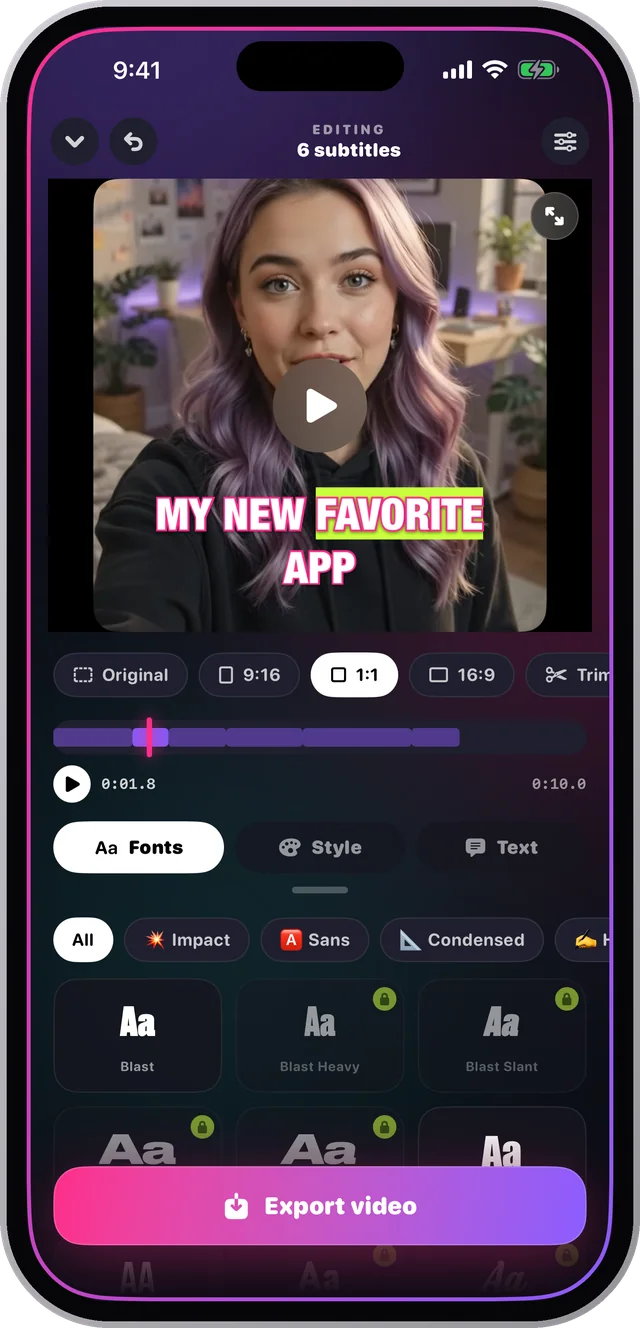
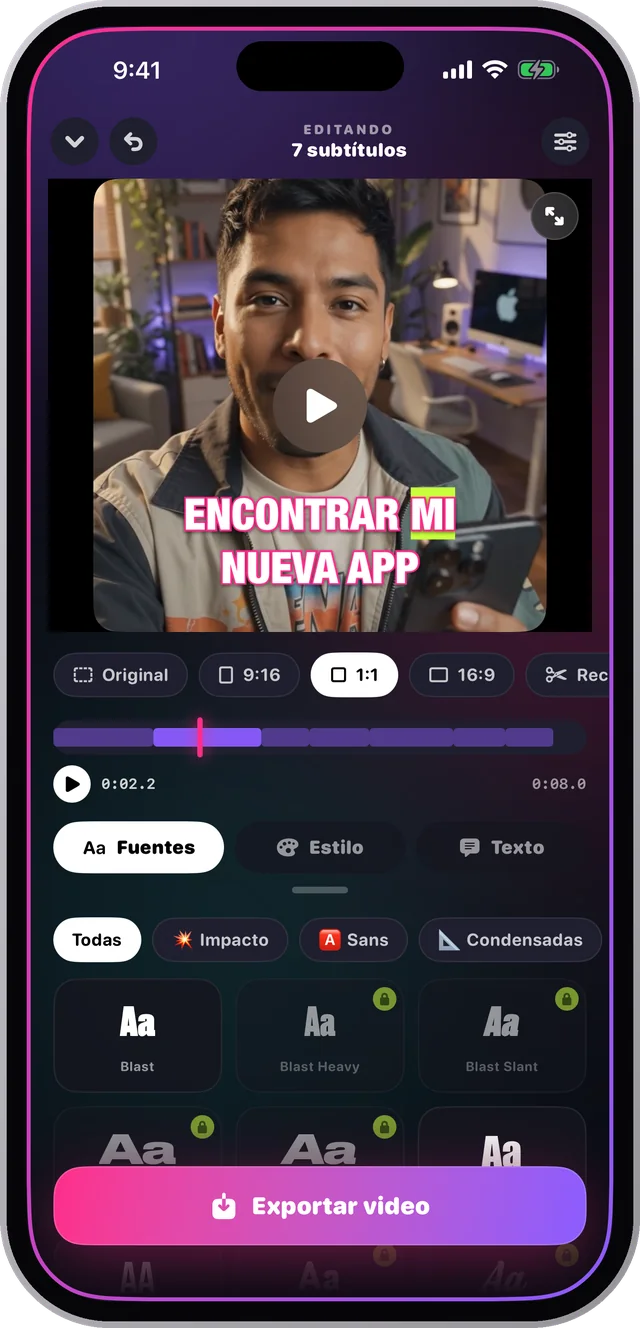
- Open the clip in Charlatan. The transcription runs on the phone and gives you an editable caption list.Abrí el clip en Charlatan. La transcripción corre en el teléfono y te da una lista de subtítulos editable.
- Fix any misheard word in the Text panel before you style anything — it is the one step that is cheaper to do now than later.Corregí cualquier palabra mal entendida en el panel de Texto antes de estilar nada — es el único paso que sale más barato ahora que después.
- Choose the font, colour, outline and pace.Elegí la tipografía, el color, el contorno y el ritmo.
- Pick your aspect ratio: 9:16, 1:1, 16:9 or the original framing.Elegí la proporción: 9:16, 1:1, 16:9 o el encuadre original.
- Export. Charlatan renders the captions into every frame, so the file you get is the file everyone sees.Exportá. Charlatan dibuja los subtítulos en cada cuadro, así que el archivo que te queda es el que ve todo el mundo.
Questions people also askLo que también preguntan
What does hardcoded subtitles mean?¿Qué significa subtítulos hardcoded?
It means the subtitle text has been rendered into the video's pixels rather than stored separately. Hardcoded, burned-in and open captions all describe the same result: text that cannot be switched off because it is part of the image.Significa que el texto del subtítulo fue dibujado dentro de los píxeles del video en lugar de guardarse aparte. Hardcoded, quemados y subtítulos abiertos describen el mismo resultado: texto que no se puede apagar porque es parte de la imagen.
Can I burn subtitles into a video on my phone?¿Puedo quemar subtítulos en un video desde el teléfono?
Yes. The whole process — transcribing, styling and rendering the captions into the frames — runs on a modern iPhone without a computer or an upload.Sí. Todo el proceso — transcribir, estilar y dibujar los subtítulos en los cuadros — corre en un iPhone moderno sin computadora ni subida.