
How to translate your video's subtitles
Translating your captions is the cheapest way to reach an audience that does not speak your language. You do not re-record, you do not re-edit: the same clip goes out with different words on it.
There are two things that go wrong when people do this quickly, and both are easy to avoid once you know them.
Get the source language right first
Translation quality is capped by transcription quality. If the app transcribed your Spanish as if it were English, the translation is working from nonsense and there is no fixing it downstream.
Set the audio language before transcribing, not after. It takes one tap and it is the difference between a usable caption track and a comedy of errors.
Text changes length, and your layout has to survive it
Spanish and French run roughly 15 to 25% longer than English. German can be worse. A caption that fit on one line in the original will wrap onto two or three in translation, and a layout tuned to the shorter version breaks.
The fix is to re-check placement and size after translating, not before. If your captions sat close to an edge, they will now cross it.
One video, several versions
The strongest use of this is not one translated video: it is the same clip exported two or three times with different caption languages, posted to accounts or markets that each get their own.
The footage cost you once. Every extra language after that is a couple of minutes.
How to do it in Charlatan
- Set the audio language on the home screen before you pick the clip, so the transcription starts from the right place.
- Let it transcribe, then read through the caption list and fix anything misheard. Errors here get multiplied by translation.
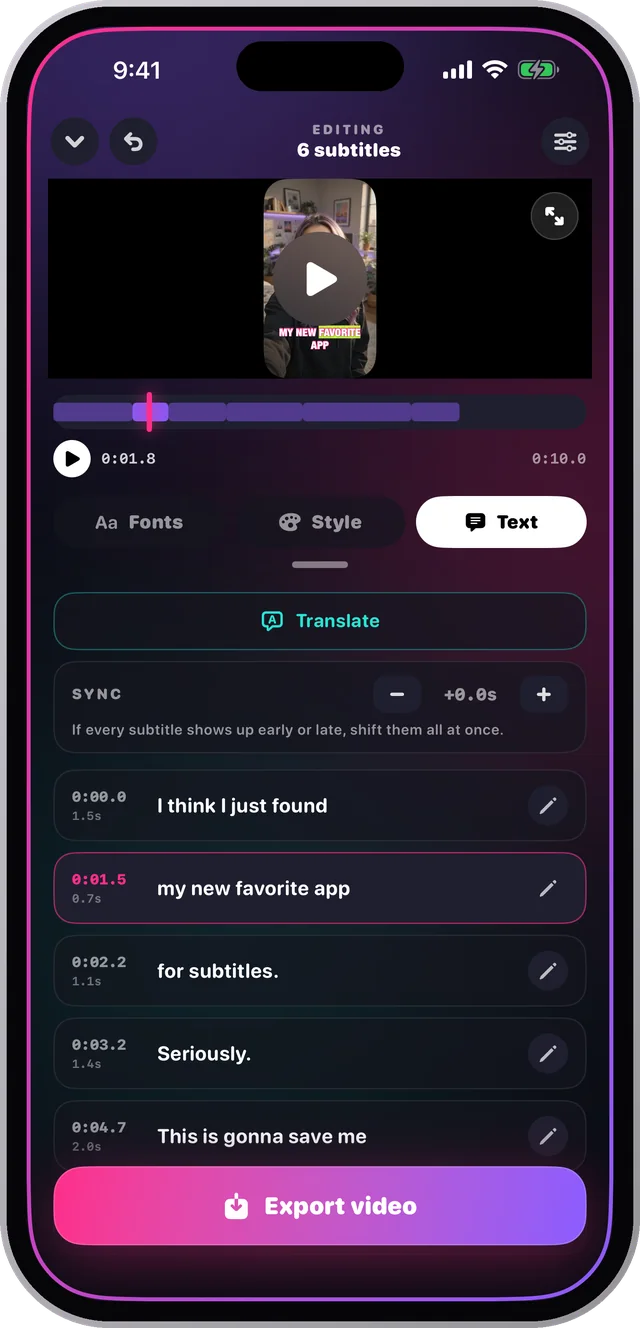
- Open the translate sheet and choose the target language.
- Re-check size and position: translated lines are usually longer, and this is where layouts break.
- Export. Then, if you want another language, go back, translate again and export a second file from the same project.
Questions people also ask
Can I translate subtitles without re-recording the video?
Yes. The audio stays as it is; only the caption text changes. The viewer hears the original language and reads the translation, which is how most subtitled content has always worked.
Why do my translated captions no longer fit?
Because most languages are not the same length as English. Spanish and French run 15 to 25% longer, so lines that fit before now wrap. Reduce the size slightly or move the caption further from the edges after translating.